Home » Games » Roblox » Macro: Moonwalk back
Moonwalk back
Description
The macro "Moonwalk back" for "Roblox" can be downloaded and used on regular mouse and keyboard.
Installing the macro is with one movement in the Keyran program and increases your skill level in the game, if you follow the instructions!
This macro is intended for use in the Roblox game, in a mode called Violence District. It allows your character to perform an unusual movement by moving backwards, which can help avoid being chased by opponents. The instructions for use are as follows:

1) Start moving forward to set the initial speed.
2) After 2-3 seconds, when you are sure that you are safe, press the designated key to activate the macro.
3) At this point, your character will start moving backwards with a moonwalk effect.

Now you're ready, have a good game!
Information
Author: 116
Game: Roblox
Update: 01/26/2026 06:17:39
Rating:
0/5
Download
Free download macro «Moonwalk back» for «Roblox». To use it, read the installation instructions.
Download
Size 1.30 Kb | Downloaded 52 times
Comments (~)
Loading comments
Only authorized users can leave comments
Send
Loading comments
Show more
6 дней назад..
0
0
Пример сообщения..
Answer
Edit
Cancel
Save
We save..
+N points
Changed
Home » Games » Roblox » Macro: Moonwalk back
© 2016 - 2026 Keyran - program for creating and running macros | User agreement | Site Map
Instructions for installing a macro
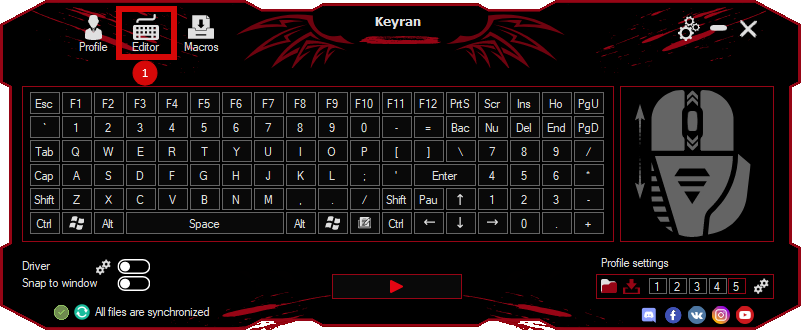
Download and install the Keyran program. Let's go to the macro editor.
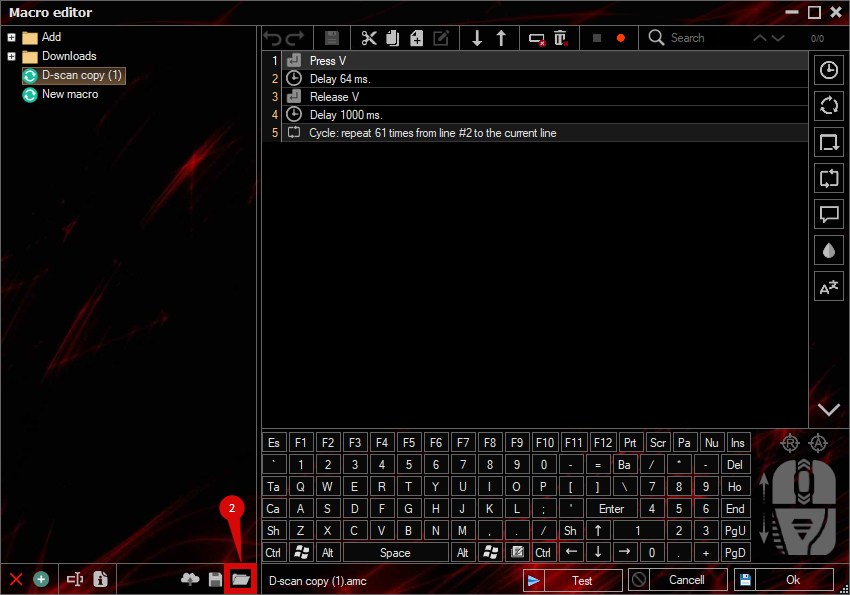
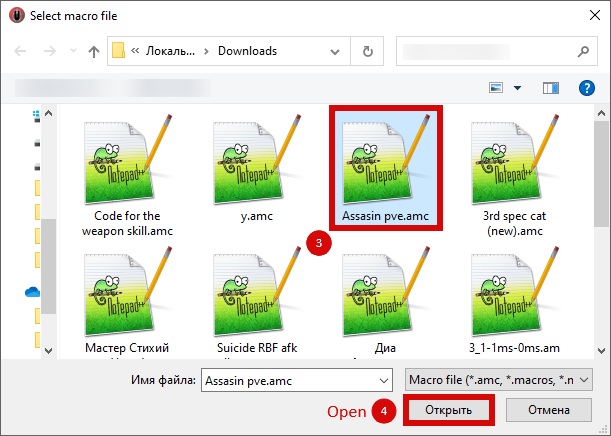
Click the «Open File» button and select the downloaded file.
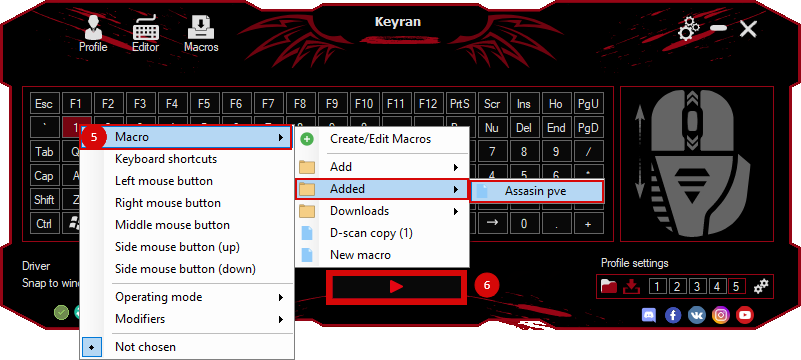
Assign a macro to a key and run the program.
Содержимое сообщения