Home » Games » Rappelz » Macro: Auto Taming
Auto Taming
Description
The macro "Auto Taming" for "Rappelz" can be downloaded and used on regular mouse and keyboard.
Installing the macro is quick and easy in the Keyran program and enhances your gaming experience!
To successfully activate the «Press TAB to select enemies» feature, you need to zoom out your view to see multiple mobs at once.

Instructions for use:
1. Make sure that the option to select opponents using the TAB button is enabled in the settings.
2. Move the attack button to slot #1 in the skill bar.
3. Place a Strong Scroll or a Regular Taming Scroll on slot #2 in the skill bar.
4. Head to the taming area and check the availability of all necessary materials for the process. Good luck and have a nice hunt!
Information
Author: xxkirito0xx
Game: Rappelz
Update: 08/03/2026 18:00:04
Rating:
0/5
Download
Free download macro «Auto Taming» for «Rappelz». To use it, read the installation instructions.
Download
Size 1.06 Kb | Downloaded 15 times
Comments (~)
Loading comments
Only authorized users can leave comments
Send
Loading comments
Show more
6 дней назад..
0
0
Пример сообщения..
Answer
Edit
Cancel
Save
We save..
+N points
Changed
Home » Games » Rappelz » Macro: Auto Taming
© 2016 - 2026 Keyran - program for creating and running macros | User agreement | Privacy Policy | Site Map
Instructions for installing a macro
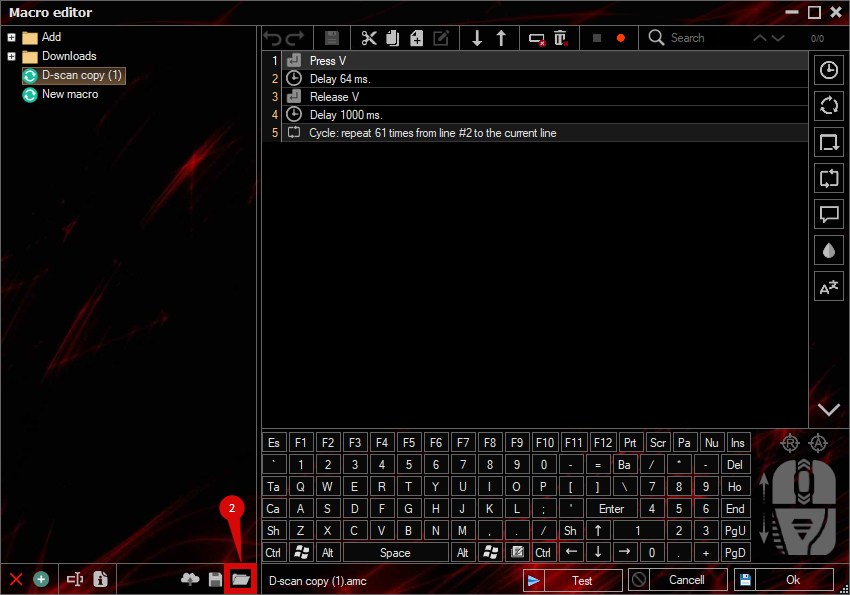
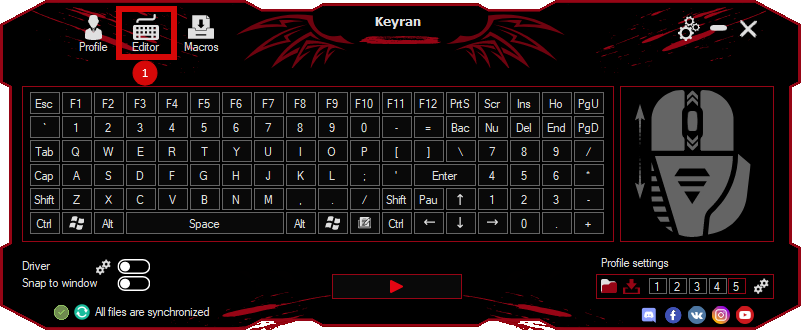
Download and install the Keyran program. Let's go to the macro editor.
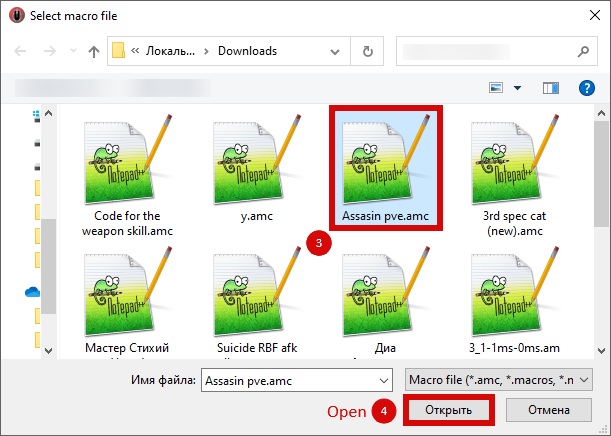
Click the «Open File» button and select the downloaded file.
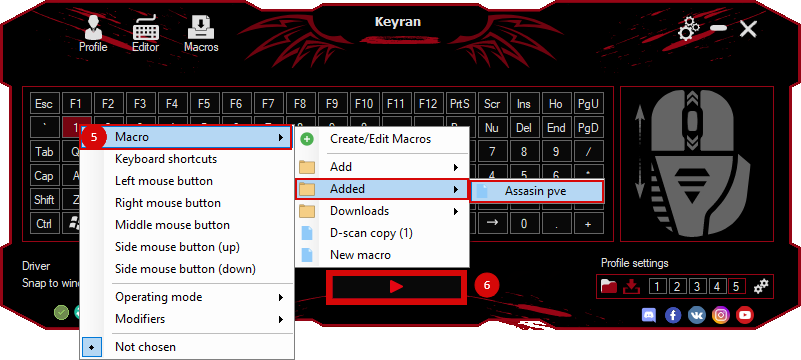
Assign a macro to a key and run the program.
Содержимое сообщения