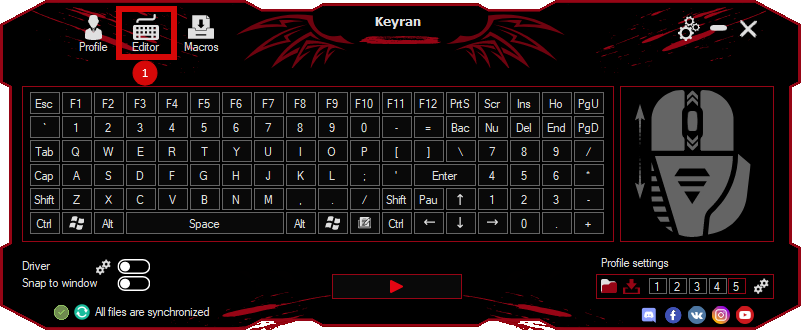
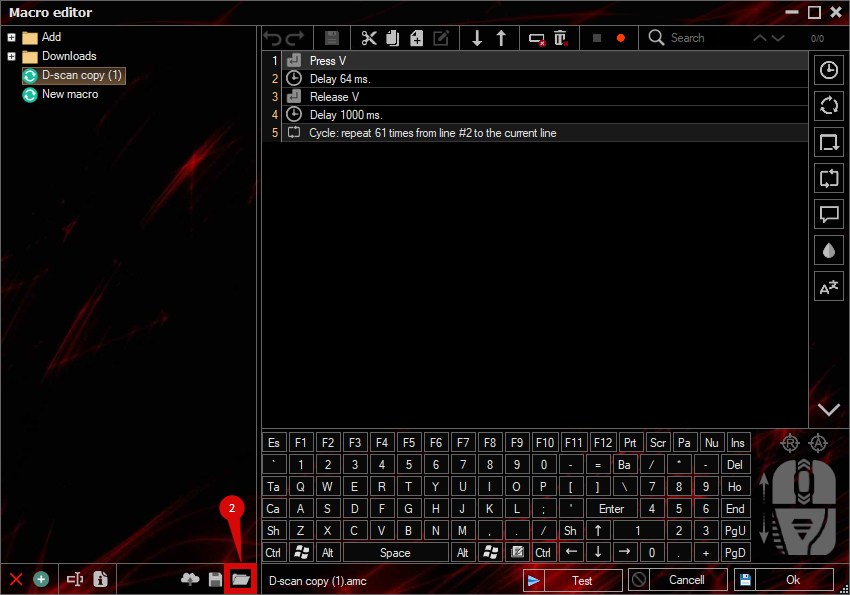
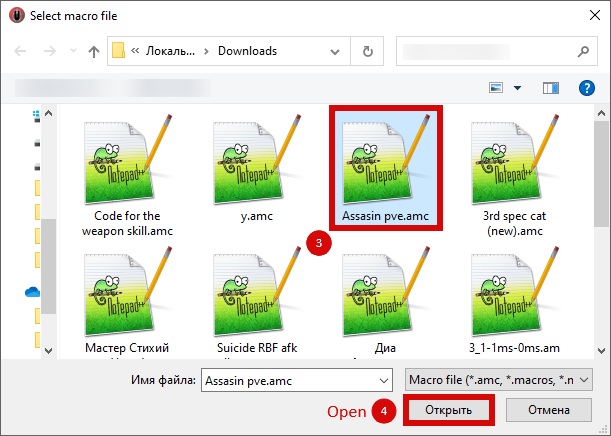
The macro "CS2_FlashAndPeek" for "Counter-Strike 2" can be downloaded and used on simple mouse and keyboard.
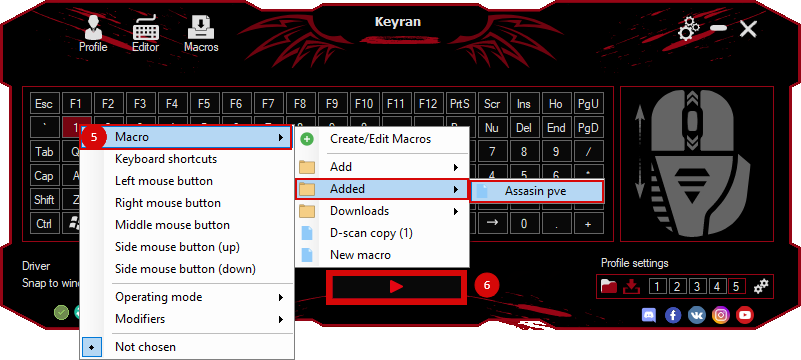
Installing the macro is very easy in the Keyran program and enhances your gaming experience!
Title: Macro for Flash and Peek in CS2. Description: This is an optimized sequence for a bold exit using a grenade. First, a grenade is activated (button E) -> a flash drive is selected (available in slot 4) -> a flash drive is thrown -> then a rush is performed to the left (key A) and to the right (key D). Recommended key to activate: G. How to use: Assign a macro to the G key. Move around the corner. Press G — the macro will automatically perform all the steps: it will remove the grenade, select the flash drive, throw it and make a peak movement (exit around the corner). After discarding the flash drive, immediately exit and shoot. This is a one-time operation. Setup: If your USB flash drive is not located in slot 4, change the KeyDown 52 setting to the appropriate number. If necessary, increase the delay for a better response on the server. Author: Britan. Copying without specifying the author is prohibited.